Posts

Showing posts with the label Microsoft

Incipio Delivers on Sleeves and Cases for Surface 3

Image
As students start heading back to school many will return with Microsoft Surface 3 devices which is a great choice. Having a light weight tablet to take to classes with Office 365 is a perfect combination. With the release of Windows 10 the Surface 3 is transformed to a powerful mobile device allowing students the opportunity to take it wherever they are.  The Surface 3 really shines when using the digital pen and OneNote for taking notes which can easily be shared. For students on the go-who want to travel in style take a look at the Roosevelt Folio from Incipio which wraps a slim folio around the Surface 3 and Type Cover. The Roosevelt Folio has a micro suede lining along with a magnetic closure that gives you a much more stable feel in your hands when you are carrying the Surface 3. The Roosevelt Folio from Incipio also has an attached Surface Pen holder which is a convenient way to store your pen. More about the pen loop a little later. The Roosevelt Folio has a...

A Week with the Surface 3 – First Impressions

Image
A couple of weeks ago out of the blue I received an email invitation from Microsoft to attend a party in New York City on March 31st. For the life of me, I could not figure out what this event would highlight-you see, it seemed like the timing was all off for a big announcement. But then on March 31, Microsoft announced the Surface 3 tablets which caught us all off guard. Microsoft announced the new Surface 3 with the latest Atom “Cherry Trail” processor, which would run Windows 8.1 and be upgradeable to Windows 10 when it is released later this summer. The specifications noted that the Surface 3 weighted in at 1.37 pounds with a 10.8 diagonal screen with a 3:2 aspect ratio with a resolution of 1920 x 1280. The Surface 3 has a built-in kickstand that can be locked into 3 different positions and has a micro –SD slot. By all accounts the Surface 3 is a lightweight tablet with enough horsepower to run Office, legacy Windows software, surf the web and promise great all day battery life. ...

OfficeMix-Off to a Great Start in 2015

Image
I trust you had some time to rest and recreate during the holidays and that you are now refreshed and rearing to go. As I start to plan for the semester ahead I am generally excited with all the possibilities and how I can engage my students in their learning. For the past couple of years I have taught many of my courses as a hybrid-meeting on campus for half the semester and teaching the rest online, which has worked out really well. Last semester, I experimented using OfficeMix an new plug-in for PowerPoint that makes the creation of digital assets extremely easy. For teachers who have wanted to flip the classroom, but are still looking for a tool to help in the creation of material I would recommend that you install the OfficeMix plug-in which is available on the Windows platform for PowerPoint 2013 or Office 365.  OfficeMix adds the ability to add digital ink (great if you are using a Surface Pro 2 or 3) , vi...

Adobe Presenter 9 - Powerful New Features!

Image
Adobe Presenter 9 just might be one of Adobe's best kept secrets. As a long time Adobe Presenter user it is really exciting to see the evolution of this product and watch as the feature set grows. Adobe Presenter 9 has to be one of the best releases and one that will enable subject matter experts, teachers, and instructional designers to develop full blown courses with audio, video and multimedia. For those of you who may not be familiar with Adobe Presenter, it is a plug-in to Microsoft PowerPoint on Windows, that adds a full set of new features to PowerPoint making it easy to create eLearning modules. For those of you who have been using PowerPoint for years, having access to Adobe Presenter 9 will afford you opportunity to quickly turn your presentations into full fledged eLearning assets that can be published to Adobe Connect , a Web server, or your Learning Management System. Adobe Presenter 9 Toolbar As a subject matter expert, Adobe Presenter 9 lets me package my eLearnin...

Using Some Peripherals with the Surface RT

Image
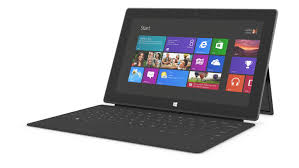
The summer really kicked off for me when I attended the ISTE 2013 Conference in San Antonio the end of June. It has been a busy summer doing workshops, consulting and working with new hardware and apps. I was fortunate to receive a Windows Surface RT from the Microsoft Education Team at ISTE 2013 and have been exploring its feature set and how it could be used in the classroom. Using the Windows Surface RT, I have become accustomed to using Windows 8 on a tablet and have enjoyed learning the new operating system which has some nice features. Unlike the Windows Surface RT's big brother the Windows Surface Pro- you can not install Windows 8 legacy software on the Windows Surface RT and are relegated to downloading apps form the Microsoft Store. While the number of educational apps is growing there is still a need for more high quality apps for use by educators. Having said that, there is still a good base of apps for students and teachers to utilize on the Windows Surface RT especia...

Kicking the Tires on the Microsoft Surface RT

Image
ISTE 2013 is long gone and is now just a fleeting memory- but wow was it fun! The ISTE conferences by and large remains one of my most favorite conferences to attend. This year was a lot of fun as I had a chance to meet educators from around the globe who see the potential for creating environments in the classroom and beyond that engage and enlighten students. No doubt we are moving into a post PC world which was evidenced by the sheer number of companies showing off their tablet solutions for the classroom. One of the companies which certainly made a big Public Relations splash this year was Microsoft. As part of Windows in the Classroom Surface Experience Project, Microsoft gave away   10,000 Windows Surface RT's to educators who attended the ISTE conference. It was quite interesting to see educators at the conference carrying their iPad in one hand and their new Surface RT in their left . I even spotted a group of teachers in the hotel one night sitting around the ...