Posts

Showing posts with the label Surface Pro

OfficeMix-Off to a Great Start in 2015

Image
I trust you had some time to rest and recreate during the holidays and that you are now refreshed and rearing to go. As I start to plan for the semester ahead I am generally excited with all the possibilities and how I can engage my students in their learning. For the past couple of years I have taught many of my courses as a hybrid-meeting on campus for half the semester and teaching the rest online, which has worked out really well. Last semester, I experimented using OfficeMix an new plug-in for PowerPoint that makes the creation of digital assets extremely easy. For teachers who have wanted to flip the classroom, but are still looking for a tool to help in the creation of material I would recommend that you install the OfficeMix plug-in which is available on the Windows platform for PowerPoint 2013 or Office 365.  OfficeMix adds the ability to add digital ink (great if you are using a Surface Pro 2 or 3) , vi...

Cleanstylus for the Surface Pro 3- the Perfect Add-on

Image
Cleanstylus for Surface Pro 3 As much as I enjoy using my Surface Pro 3 , especially for the digital inking-it is just a matter of time, before I know I will eventually lose my stylus. So when I came across the Cleanstylus for the Surface Pro 3 from Cleanint I knew I had to take it out for a test run. I had a chance to speak with Tuan from Cleanint and he was kind enough to send me out one to review. If you are looking for an elegant and effective way to store your stylus then take a look at the  Cleanstylus for the Surface Pro 3. The  Cleanstylus for the Surface Pro 3  comes in matching keyboard cover colors and uses a a reusable adhesive technology that lets you re-position the stylus/pen holder as you see fit. I decided to adhere the  Cleanstylus for the Surface Pro 3 to the top right corner of my Surface Pro 3 and installing it was a cinch. The holder really grasps the stylus and you can either snap it in or slide it into t...

ScreenBeam Pro Education Edition from Actiontec

Image
As a professor of education, I am always looking at new technologies that can enliven my classroom and give me and my students tools to share ideas. When I purchased my Surface Pro 2 and Dell Venue 8, I learned about an Intel standard called Wi-Di (Wireless Display) which allows you to stream the contents of your tablet or computer to a HDMI  device without cables or wires. Many educator often refer to Wi-Di by using the term Miracast to describe  a peer-to-peer wireless screencasting standard formed via Wi-Fi Direct connections in a manner similar to Bluetooth.  Having access to Wi-Di would be great for the classroom because it would enable me to move about the classroom without the need to be tethered to the projector. Since I had half the solution in the Surface Pro 2 and Dell Venue 8 running Windows 8.1, all I needed was a Miracast receiver to enable me to use this technology. Researching which Miracast receiver would be best, I came across the ScreenBeam Pro Educatio...

Using Some Peripherals with the Surface RT

Image
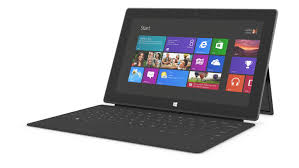
The summer really kicked off for me when I attended the ISTE 2013 Conference in San Antonio the end of June. It has been a busy summer doing workshops, consulting and working with new hardware and apps. I was fortunate to receive a Windows Surface RT from the Microsoft Education Team at ISTE 2013 and have been exploring its feature set and how it could be used in the classroom. Using the Windows Surface RT, I have become accustomed to using Windows 8 on a tablet and have enjoyed learning the new operating system which has some nice features. Unlike the Windows Surface RT's big brother the Windows Surface Pro- you can not install Windows 8 legacy software on the Windows Surface RT and are relegated to downloading apps form the Microsoft Store. While the number of educational apps is growing there is still a need for more high quality apps for use by educators. Having said that, there is still a good base of apps for students and teachers to utilize on the Windows Surface RT especia...

Kicking the Tires on the Microsoft Surface RT

Image
ISTE 2013 is long gone and is now just a fleeting memory- but wow was it fun! The ISTE conferences by and large remains one of my most favorite conferences to attend. This year was a lot of fun as I had a chance to meet educators from around the globe who see the potential for creating environments in the classroom and beyond that engage and enlighten students. No doubt we are moving into a post PC world which was evidenced by the sheer number of companies showing off their tablet solutions for the classroom. One of the companies which certainly made a big Public Relations splash this year was Microsoft. As part of Windows in the Classroom Surface Experience Project, Microsoft gave away   10,000 Windows Surface RT's to educators who attended the ISTE conference. It was quite interesting to see educators at the conference carrying their iPad in one hand and their new Surface RT in their left . I even spotted a group of teachers in the hotel one night sitting around the ...