Posts

Livescribe Sky WiFi Smartpen Soars to the Clouds

Image
On Monday, Livescribe will release a new and improved digital smartpen called Livescribe Sky WiFi which will forever change the way we take and access our notes. While I have been a big fan of the Livescribe Smartpen the one downfall was the synching which you needed to do with a USB cable. But that all changes with the introduction of the Livescribe Sky WiFi which lets you sync your notes directly to Evernote via WiFi. This truly is a huge paradigm shift- giving me access to my notes on just about any device that has a browser or the Evernote app installed. Similarly, I can now log into Evernote from any computer and instantly have access to my notes which is very powerful. This feature is a truly a game changer for taking notes, and will give students access to their notes from anywhere they are connected to the web. Getting started and setting up the Livescribe Sky WiFi to sync with Evernote was a cinch. I simply turned on the Livescribe Sky Wi...
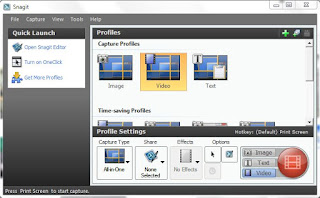
Snagit- Best Kept Secret for Mac & Windows

Image
I have been a long time fan and user of Snagit from TechSmith, Inc for many years now and I am always amazed at the features. One of the newer features is the ability to capture video from your screen which has really come in handy lately as I am developing some eLearning modules. While many of us will  initially think of using Snagit to capture screen images the latest version of Snagit can capture video along with audio and System audio making it indispensable tool for instructors and eLearning developers who are looking for a quick and easy way to capture video off of the screen. I recently created a short video using GoAnimate and wanted to save it in MP4 format to insert into an Adobe Presenter 8 module I was creating. Using Snagit's new ability to capture the GoAnimate video was a piece of cake and the quality of the video capture was outstanding. So take a look at Snagit and see how you might use it- it is one of the bes...

Funding Kickstarter Projects

Image
Over the past year or so I have jumped in and helped to fund several Kickstarter products which has been a lot of fun. In addition to knowing that I am able to help fund a new product I also get the advantage of being on the ground floor when the product is released. This past year I have funded the Touchtype , a case for the iPad and Apple Bluetooth Wireless keyboard, the  Elevation Dock  for the iPhone and the Hidden Radio . All of the products have exceeded my expectations and have made using my iPad and iPhone a real joy to use. Spending time working and sharing with educators the potential for these mobile technologies, it is great to have on hand these innovative products to show and demonstrate. The Touchtype is the perfect solution for individuals like myself that want to use a full size keyboard but want to also be able to store the iPad in convenient and light weight case. The design of the Touchtype is fantastic and is light enough...

GoAnimate - Engaging Tool for Creating Videos

I had the pleasure of  presenting with my colleague Dr. Patricia Schall today at the  New Jersey Council of Teachers of English Conference which was hosted at the College of St. Elizabeth. It was exciting to be part of this conference since I usually present at special education venues. The keynote speaker Andy Cohen who heads up the Bridge Film Festival at the Brooklyn Friends School shared with us some of the video's that students who participated in the file festival have crafted over the years. It was truly inspiring to listen and to watch the stories unfold on the screen. Andy shared that students used many tools to create the videos and shared one of then called GoAnimate , which he demoed for us. When I saw the ease of use and the potential of GoAnimate I signed up for a free account and gave it a whirl. Even with the free account you are able to create animated videos that are sure to capture your audience's attention. Using GoAnimate, it is easy to create eLearning...

Using Adobe Presenter 8 for eLearning

Image
Having used Adobe Presenter 7 to create eLearning material it was exciting to learn that Adobe had released a new version of Adobe Presenter with a slew of new and exciting features. I have had a chance to work with Adobe Presenter 8 for the past two months to learn the ins and outs of the program and am really impressed with the product and some of the new features that have been added. Adobe Presenter 8 remains a plug-in for PowerPoint on the Windows platform which when installed appears as a new Tab on the PowerPoint Ribbon. Once you click on the Tab you will see a host of features that are specific to Adobe Presenter 8 that you can utilize. To get started with Adobe Presenter 8 just open an existing PowerPoint, click on the Adobe Presenter Tab and you can then bring in video, record audio and build an eLearning module complete with navigation and quizzes. Subject matter experts will enjoy the easy to use interface and be creating modules in no time. One...

iOS 6 Brings the Highlight Words feature to the iPad

Apple has added a number of new Accessibility features in iOS 6 which makes the iPad even easier to use for students with reading disabilities. In the latest version of the iOS students can now turn on the Highlight Word feature which will highlight the words as they are being read on the screen. Being able to synchronize the highlighting of text on the screen is an invaluable feature and one that many students with reading and attentional difficulties will find to be extremely helpful. Remember that this feature is part of the iOS-so as long as you are able to select text on the screen it will work in most apps. This feature is also great as an editing tool for students when they are doing writing. I have embedded a short video demonstrating how to turn on this feature.

ConceptDraw Mindmap- Great Tweeting Tool

Image
One of my favorite features in  ConceptDraw Mindmap is the ability to plan out my tweets for Twitter. Using a simple mind map, I can structure the map by the week and add my tweets. When I'm ready to send the tweets it is as easy as going to the toolbar and pressing the Tweet button. Using ConceptDraw Minmap I can get a perspective on my tweets, and better yet it even shortens attached URL's. If you are planning a tweet campaign you should really take a look at  ConceptDraw Mindmap to help you strategize and deliver your tweets. ConceptDraw Mindmap gives you the option of tweeting the topic, map or screen which is a nice touch. The only thing I would like to see developed in ConceptDraw Mindmap is a feature by which you could set each of the tweets to be sent on a specific date and time. Happy tweeting with  ConceptDraw Mindmap .