Posts

Join Me at the Adobe Learning Summit 2013

Image
I have been involved in Elearning for some time now and am really excited to be speaking at the Adobe Learning Summit 2013 in Las Vegas, NV on October 21, 2013. I will be sharing the work that I have been doing with Adobe Presenter 9 in the graduate courses that I teach and how it has changed my perspective on how to deliver course content on the web. My topic for the session is:  Understanding Learner Intervention & Collaboration in Post-secondary Education  Brian S. Friedlander, Ph.D. & John Dorbolo, Ph.D. With a shift to learning anytime and anywhere, it is important for instructors to be able to provide timely feedback to students and intervene to keep students on course and heading in the right direction. In this session, learn about the Adobe Presenter 9 workflow and how college instructors can provide timely feedback to students who are taking courses online, as well as strategies to engage students to collaborate in the eLearning process. Find out how students...


Co:Writer App for IOS- WOW!

Image
I guess patience is a real virtue especially when it comes to developing apps for Apple's IOS devices. In the case of the Co:Writer App for IOS from Don Johnston, Inc , the wait was certainly worth it.  Co:Writer for Mac and PC has become to large degree the standard in the assistive technology field for word prediction. I can remember when I first saw Co:Writer for the first time I was floored just how good the prediction algorithms were. It had the uncanny ability to feel like it was reading my Co:Writer for IOS comes complete with a large library of built-in Topic Dictionaries, what happens when the student is writing for example a current events paper on the Civil War in Syria? Not a problem, Co:Writer for IOS can go out to the web and create a Scraped Topic Dictionary on the fly. Wow that is some powerful feature! Co:Writer for iPad mind as I demonstrated it on the computer. But what could we come to expect from Co:Writer on an IOS device? With a long history of being the ...

Adobe Presenter 9 - Powerful New Features!

Image
Adobe Presenter 9 just might be one of Adobe's best kept secrets. As a long time Adobe Presenter user it is really exciting to see the evolution of this product and watch as the feature set grows. Adobe Presenter 9 has to be one of the best releases and one that will enable subject matter experts, teachers, and instructional designers to develop full blown courses with audio, video and multimedia. For those of you who may not be familiar with Adobe Presenter, it is a plug-in to Microsoft PowerPoint on Windows, that adds a full set of new features to PowerPoint making it easy to create eLearning modules. For those of you who have been using PowerPoint for years, having access to Adobe Presenter 9 will afford you opportunity to quickly turn your presentations into full fledged eLearning assets that can be published to Adobe Connect , a Web server, or your Learning Management System. Adobe Presenter 9 Toolbar As a subject matter expert, Adobe Presenter 9 lets me package my eLearnin...

MimioTeach Interactive Whiteboard- A Powerful Solution

Image
Let me start off by saying I have always been a big fan of the MimioTeach Interactive Whiteboard and have watched it over the years evolve to a very robust and powerful solution for the classroom. The MimioTeach Interactive Whiteboard from its inception is pure genius- simply affix the Mimio Bar to a whiteboard and within seconds you have an entire interactive whiteboard system at your disposal. Not to date myself but when I was first introduced to the Mimio many years ago the big attraction was capturing ink from whiteboards when using dry erase markers- so you can see how quickly things have changed. Having the opportunity to try out the latest solution from Mimio- the MimioTeach Interactive Whiteboard was really exciting from the un-boxing to the point of actually using it in the classroom. The MimioTeach Interactive Whiteboard is now packaged in a beautifully designed high tech looking box which when opened reveals the newly designed white bow shaped MimioTeach bar. The MimioTeach...

Using Some Peripherals with the Surface RT

Image
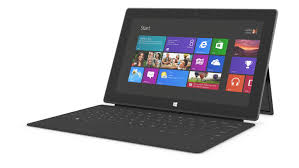
The summer really kicked off for me when I attended the ISTE 2013 Conference in San Antonio the end of June. It has been a busy summer doing workshops, consulting and working with new hardware and apps. I was fortunate to receive a Windows Surface RT from the Microsoft Education Team at ISTE 2013 and have been exploring its feature set and how it could be used in the classroom. Using the Windows Surface RT, I have become accustomed to using Windows 8 on a tablet and have enjoyed learning the new operating system which has some nice features. Unlike the Windows Surface RT's big brother the Windows Surface Pro- you can not install Windows 8 legacy software on the Windows Surface RT and are relegated to downloading apps form the Microsoft Store. While the number of educational apps is growing there is still a need for more high quality apps for use by educators. Having said that, there is still a good base of apps for students and teachers to utilize on the Windows Surface RT especia...

Presented at the Teacher Meetup NJ 2013 Unconference Today

Image
What other profession do you know of, that would sacrifice a whole day for professional development without pay? Welcome to the world of teaching and the un-conference model which is turning the world of professional development on its heels. Today more than 200 teachers arrived at Richard Stockton College for a full day of professional development with a focus on educational technology . The day started off with a Kidspiration Maps and iReadWrite . Both programs were very well received and offer students a great deal of support in the area of written language. series of quick 20 minute presentations by teachers on all kinds of interesting technology topics. I presented in one of the 20 minutes modules with a focus on reading and writing apps for struggling students. In the 20 minute time period I was able to demo the recently released apps: If you have't taken a look at the Kidspiration Maps which was recently released, I urge you to do so. It incorporates a great deal of ...

Kicking the Tires on the Microsoft Surface RT

Image
ISTE 2013 is long gone and is now just a fleeting memory- but wow was it fun! The ISTE conferences by and large remains one of my most favorite conferences to attend. This year was a lot of fun as I had a chance to meet educators from around the globe who see the potential for creating environments in the classroom and beyond that engage and enlighten students. No doubt we are moving into a post PC world which was evidenced by the sheer number of companies showing off their tablet solutions for the classroom. One of the companies which certainly made a big Public Relations splash this year was Microsoft. As part of Windows in the Classroom Surface Experience Project, Microsoft gave away   10,000 Windows Surface RT's to educators who attended the ISTE conference. It was quite interesting to see educators at the conference carrying their iPad in one hand and their new Surface RT in their left . I even spotted a group of teachers in the hotel one night sitting around the ...